
Sunday, November 8, 2026 Today’s Paper
Log in Join free
Vol. I · No. 41 Texas Edition
Sunday, Nov 8
Texas first. Then the world.
Always free Updated just now
Read. React. Discuss.
Tech

How to AirDrop on iPhone

By Arthur Kay 10 min read 0 views 0 comments
How to AirDrop on iPhone
Image: gHacks

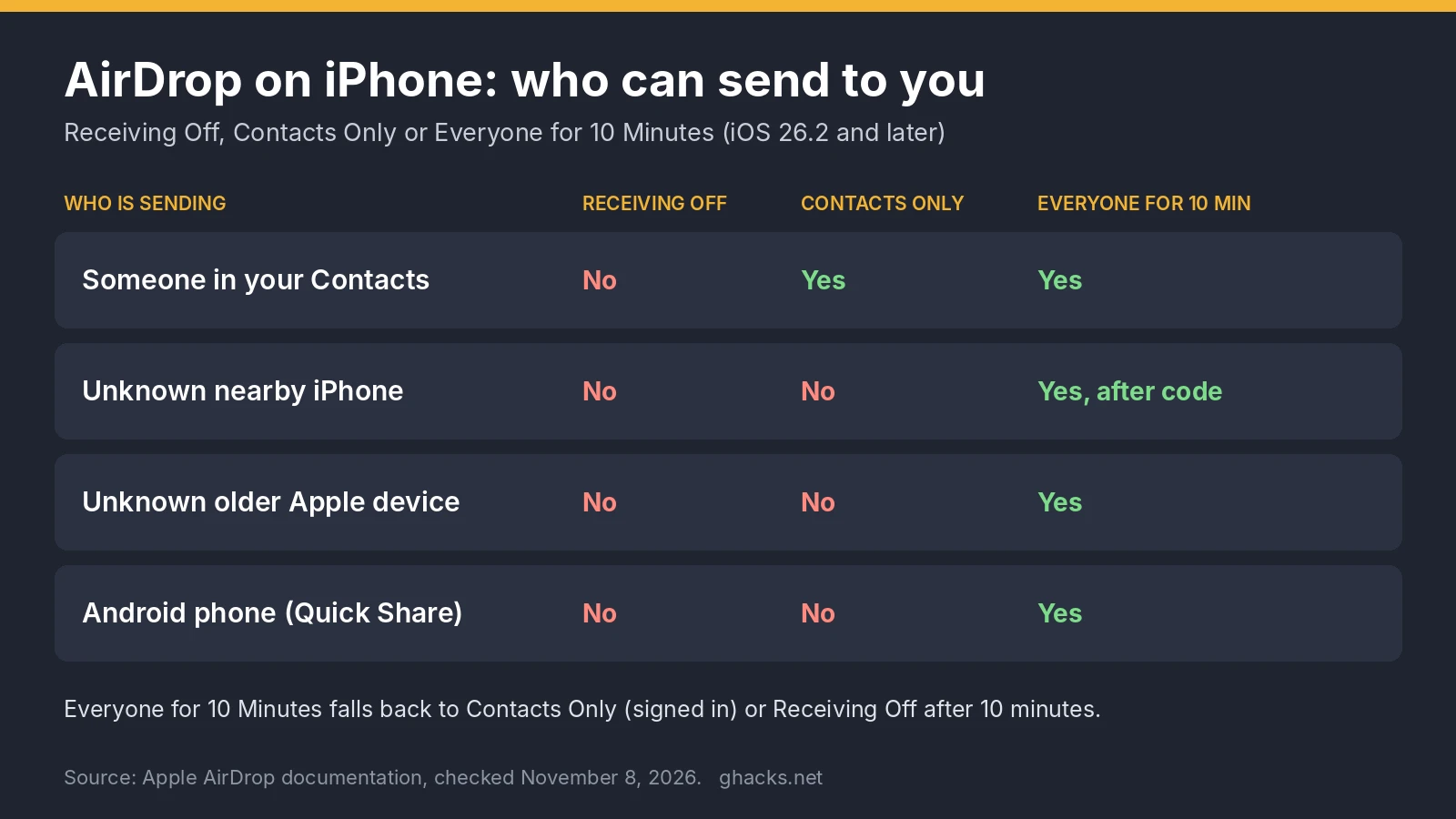
To AirDrop on iPhone, open the photo or file, tap the Share button, tap AirDrop and tap the person or device under People.

Thank you for being a Ghacks reader. The post How to AirDrop on iPhone appeared first on gHacks.

gHacks Original story · www.ghacks.net
Read the full story

Discussion (0)

No comments yet. Start the conversation!